On this page
Diagnostics, Pharmacy and Follow-up
Laboratory & Imaging Journey - Order and service
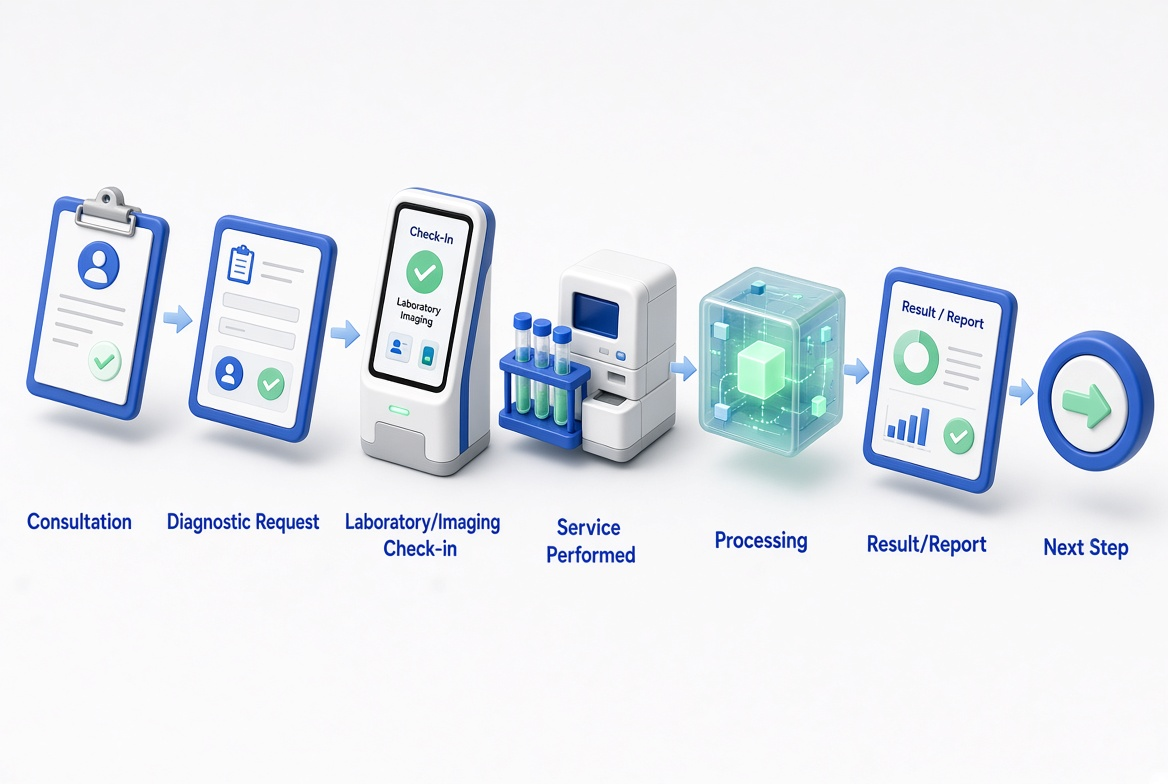
When laboratory or imaging services are required, the appropriate service can be ordered and the patient can proceed through the required diagnostic workflow. When a doctor determines that laboratory or imaging services are required, the patient proceeds through the appropriate diagnostic workflow.
Step 1: Doctor Requests Service
Doctor completes the consultation -> determines that a laboratory test or imaging service is required -> creates or requests the appropriate diagnostic service.
Step 2: Patient Receives Diagnostic Request
The required service information is associated with the patient's healthcare journey -> patient proceeds to the relevant laboratory or imaging service.
Step 3: Patient Checks In
Patient arrives at the laboratory or imaging department -> provides the required patient or service information -> staff confirm the requested service.
Step 4: Perform Service
Laboratory staff collect the required sample for testing, or imaging staff perform the requested diagnostic procedure.
Step 5: Process the Request
The laboratory or imaging department processes the requested service -> prepares the relevant result or diagnostic report.
Step 6: Complete Diagnostic Service
The diagnostic service is completed -> the resulting information can be associated with the patient's healthcare record -> patient continues to the next recommended step.
Laboratory & Imaging Journey - Results
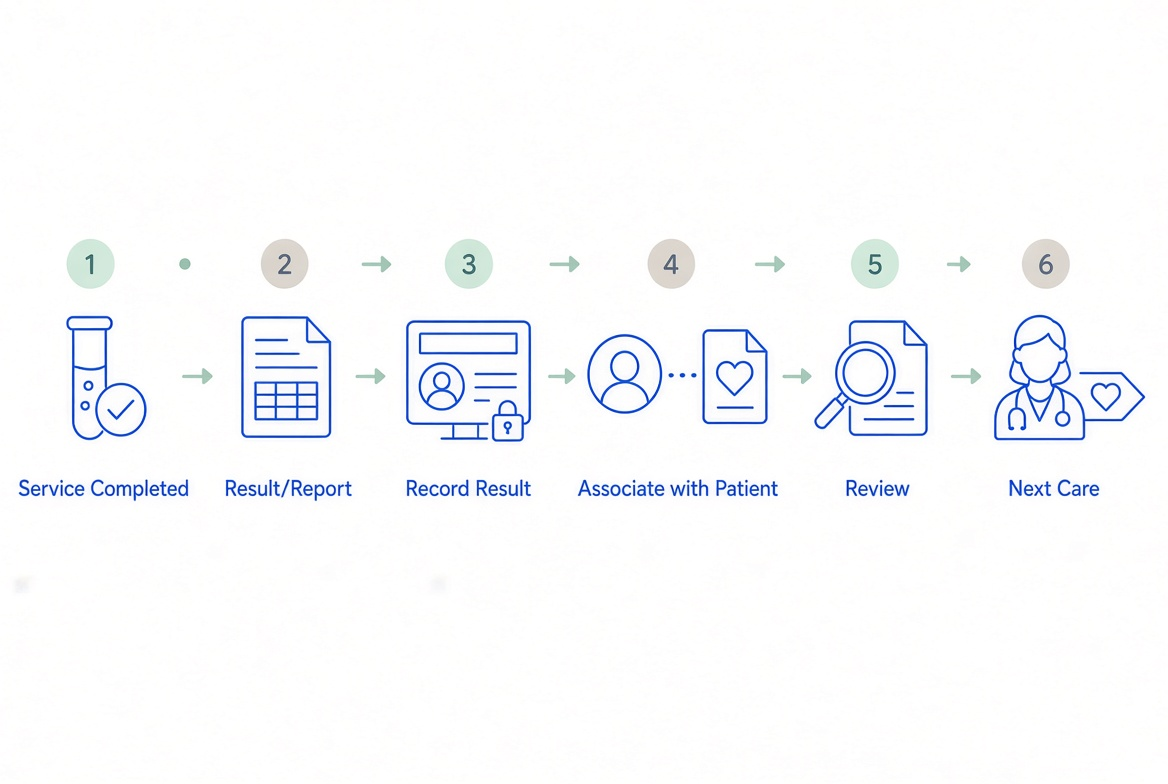
Laboratory results and diagnostic information can form part of the patient's health information. NironCare's Privacy Policy specifically identifies lab test results and diagnostic imaging reports as health information processed by the platform. After the laboratory or imaging service is completed, the resulting information can become part of the patient's healthcare information.
Step 1: Complete Test / Imaging
Laboratory or imaging service is performed -> the relevant result or diagnostic information is prepared.
Step 2: Record Result
The laboratory result or diagnostic report is recorded in the system where supported.
Step 3: Associate with Patient
The result is associated with the appropriate patient and healthcare service.
Step 4: Review Result
Authorized healthcare professionals can access and review the relevant laboratory or diagnostic information.
Step 5: Determine Next Care
The healthcare professional reviews the result -> determines whether further treatment, medication, follow-up, or additional testing is required.
Prescription & Pharmacy Journey - Prescription
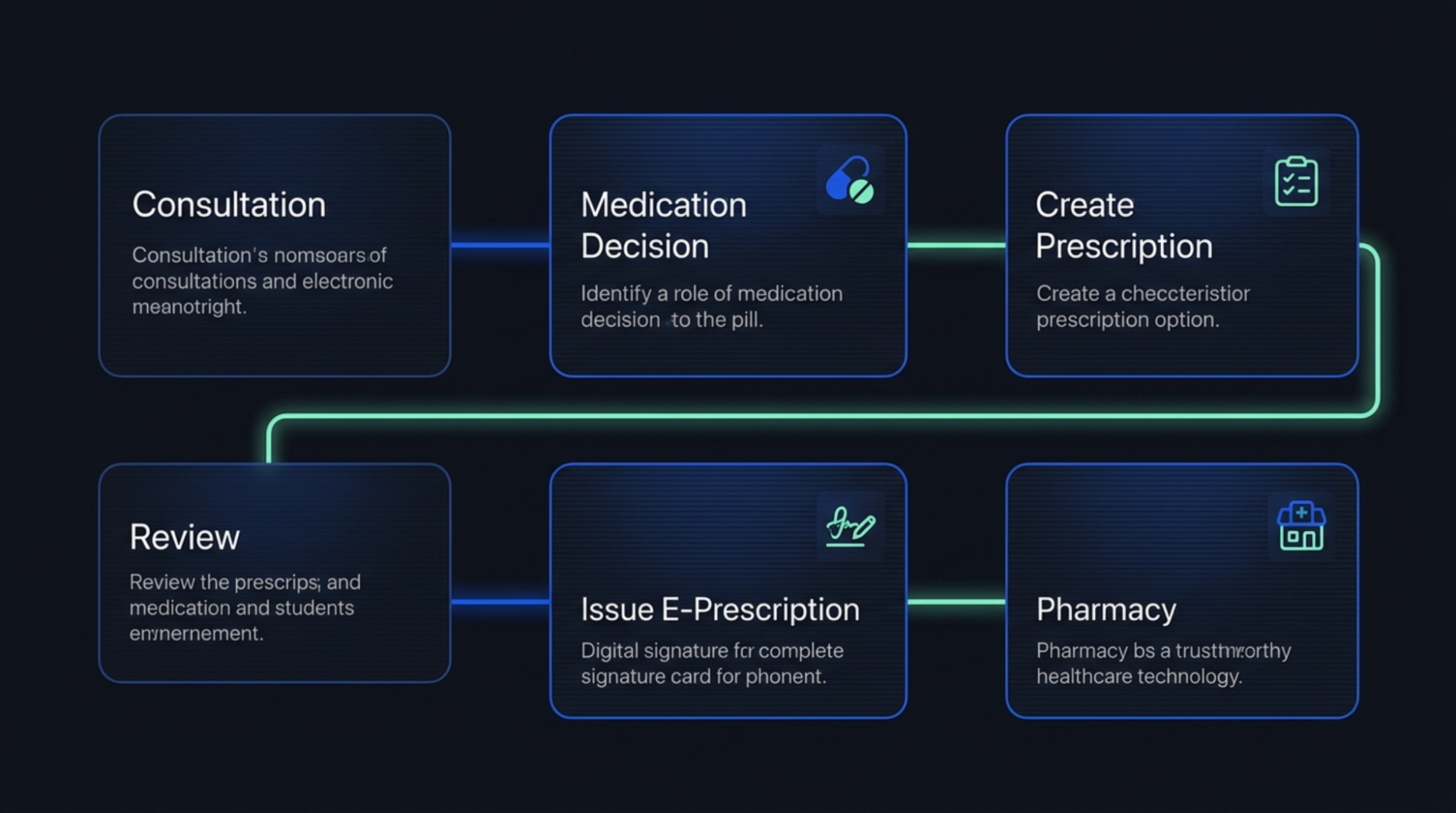
NironCare supports e-prescribing through the Doctor Portal, allowing healthcare professionals to create and manage prescriptions as part of patient care. NironCare supports e-prescribing through the Doctor Portal as part of the patient's clinical care.
Step 1: Assess Patient
Doctor completes the consultation -> determines whether medication is required.
Step 2: Create Prescription
Doctor opens the prescription function -> selects or enters the required medication and prescription information.
Step 3: Review Prescription
Doctor reviews the medication, instructions, and relevant prescription information -> confirms the prescription.
Step 4: Issue E-Prescription
Doctor creates the digital prescription -> the prescription becomes part of the patient's healthcare information.
Step 5: Send to Pharmacy Process
The prescription information can be used by the pharmacy for the medication fulfillment process.
Prescription & Pharmacy Journey - Collection
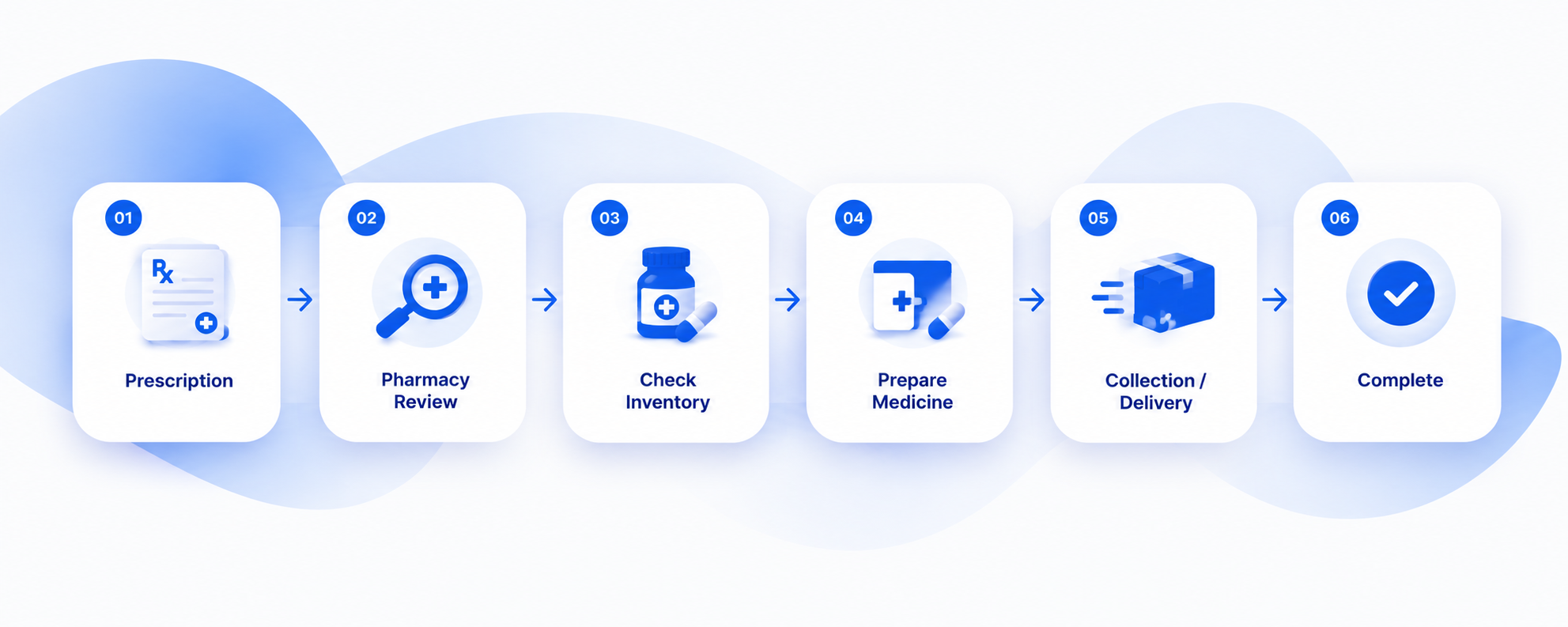
The Pharmacy Portal supports prescription-order management and inventory, while the NironCare ecosystem also supports medication purchase and delivery services. The Pharmacy Portal supports prescription-order management and inventory-related activities.
Step 1: Receive Prescription
Pharmacy receives or accesses the patient's prescription information.
Step 2: Review Prescription
Pharmacy staff review the prescription -> verify the required medication and prescription details.
Step 3: Check Medicine Availability
Staff check the required medicine -> confirm availability through the pharmacy's inventory.
Step 4: Prepare Medication
Available medication is prepared according to the prescription.
Step 5: Patient Collection / Delivery
Patient proceeds with medication collection where applicable -> alternatively, supported services may allow medication purchase or delivery.
Step 6: Complete Pharmacy Service
The medication service is completed -> relevant information can be recorded as part of the patient's healthcare journey.