On this page
Inpatient and Remote Care
Inpatient & Discharge Overview - Admission
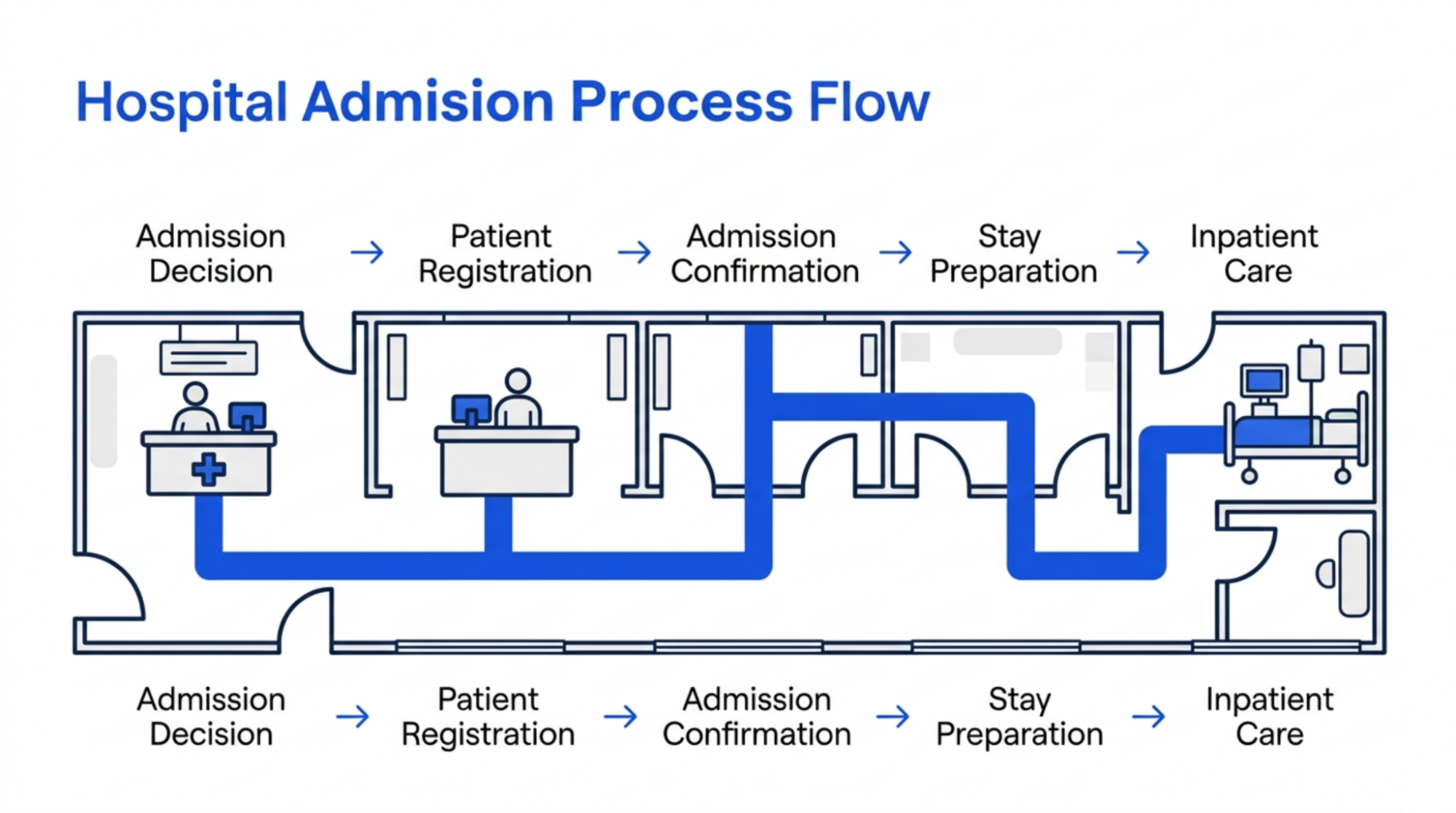
The patient is registered and admitted for hospital care. The hospital staff prepare the necessary information and arrangements for the patient's stay. The inpatient journey begins when a patient requires hospital admission for continued care.
Step 1: Determine Admission
Healthcare professional determines that the patient requires inpatient care.
Step 2: Register Patient
Patient information is registered or confirmed -> required admission information is recorded.
Step 3: Confirm Admission
Hospital staff confirm the patient's admission -> prepare the required arrangements for the patient's stay.
Step 4: Prepare Patient Stay
Staff prepare the necessary information, room/bed arrangements, and care requirements according to the hospital's process.
Step 5: Begin Inpatient Care
Patient is admitted -> healthcare staff begin the required inpatient care.
Inpatient & Discharge Overview - During the stay
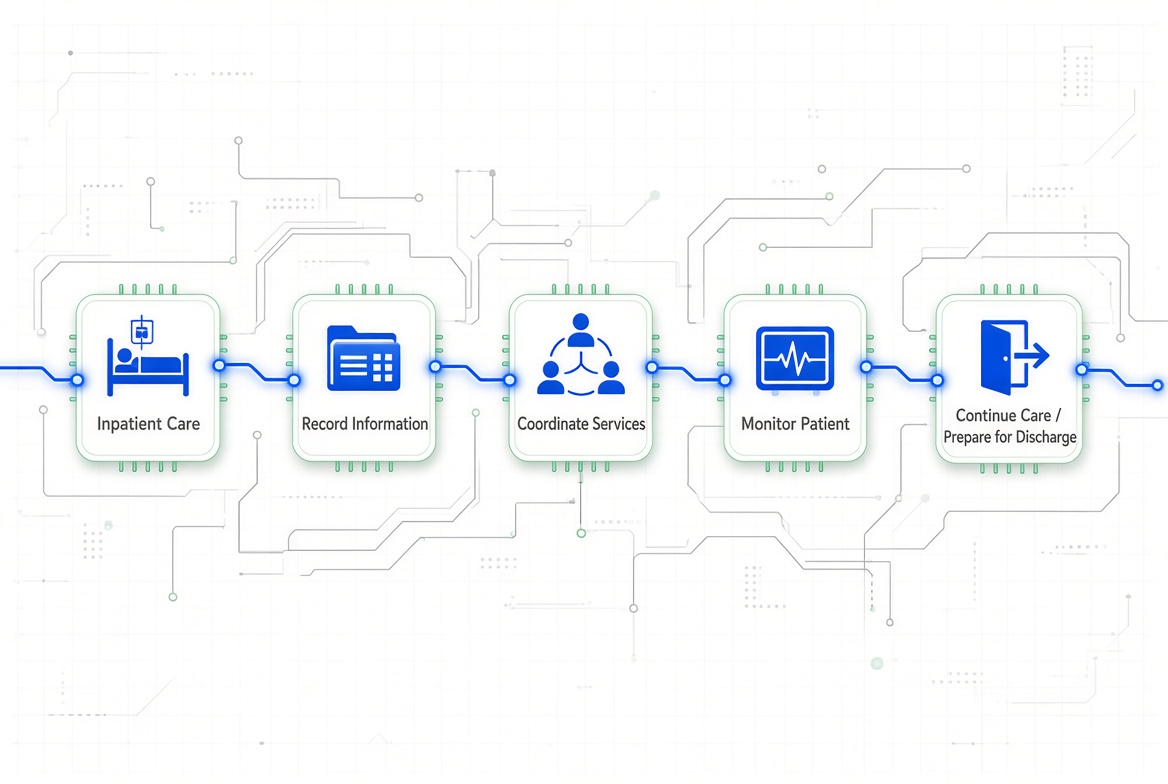
During an inpatient stay, healthcare information may be managed through the healthcare platform. The exact NironCare inpatient workflow is not confirmed in the public materials reviewed. During an inpatient stay, healthcare professionals provide ongoing care and manage information related to the patient's treatment.
Step 1: Provide Patient Care
Healthcare staff monitor and provide the required care during the patient's stay.
Step 2: Record Healthcare Information
Relevant patient and clinical information may be recorded and managed through the healthcare platform where supported.
Step 3: Coordinate Services
The patient may require different healthcare services during the stay, such as consultation, laboratory, imaging, pharmacy, or other services.
Step 4: Monitor Progress
Healthcare professionals review the patient's condition and care information -> determine the next appropriate step.
Step 5: Prepare for Next Stage
When the patient's inpatient care is completed or another decision is made, staff prepare for discharge or continued care. The exact NironCare inpatient workflow should be confirmed from the deployed system.
Inpatient & Discharge Overview - Leaving hospital
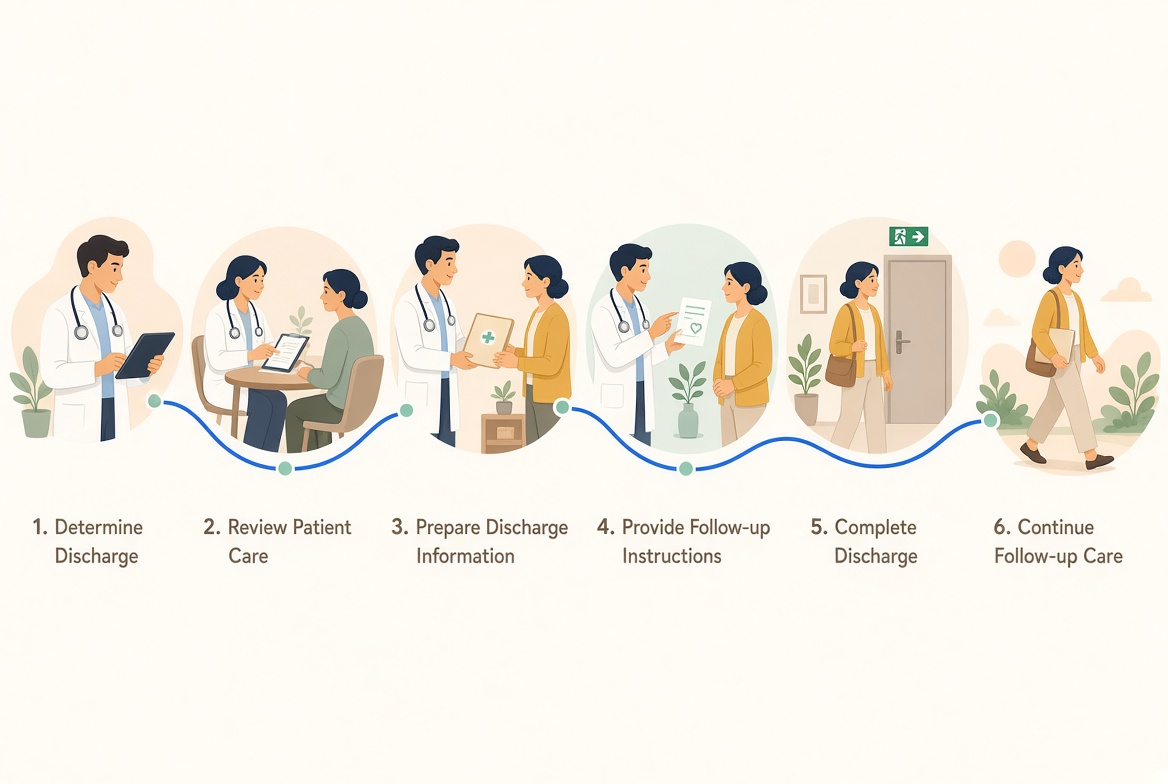
The outline identifies leaving the hospital as part of the workflow. Specific NironCare discharge functions are not confirmed in the public materials and should be documented from the actual system if available. When inpatient care is completed, the patient can proceed through the hospital's discharge process.
Step 1: Determine Discharge
Healthcare professional determines that the patient is ready to leave the hospital.
Step 2: Review Patient Care
Relevant treatment, consultation, medication, and diagnostic information is reviewed as required.
Step 3: Prepare Discharge Information
Hospital staff prepare the information required for the patient's departure and continued care.
Step 4: Provide Follow-up Instructions
Patient receives information about medication, follow-up appointments, additional services, or other recommended care where applicable.
Step 5: Complete Discharge
The patient's hospital stay is completed -> patient leaves the hospital.
Step 6: Continue Follow-up Care
Patient continues with recommended outpatient care, follow-up appointments, medication, or other healthcare services. Specific NironCare discharge functions should be confirmed from the actual deployed system
Teleconsultation Overview - Before consultation
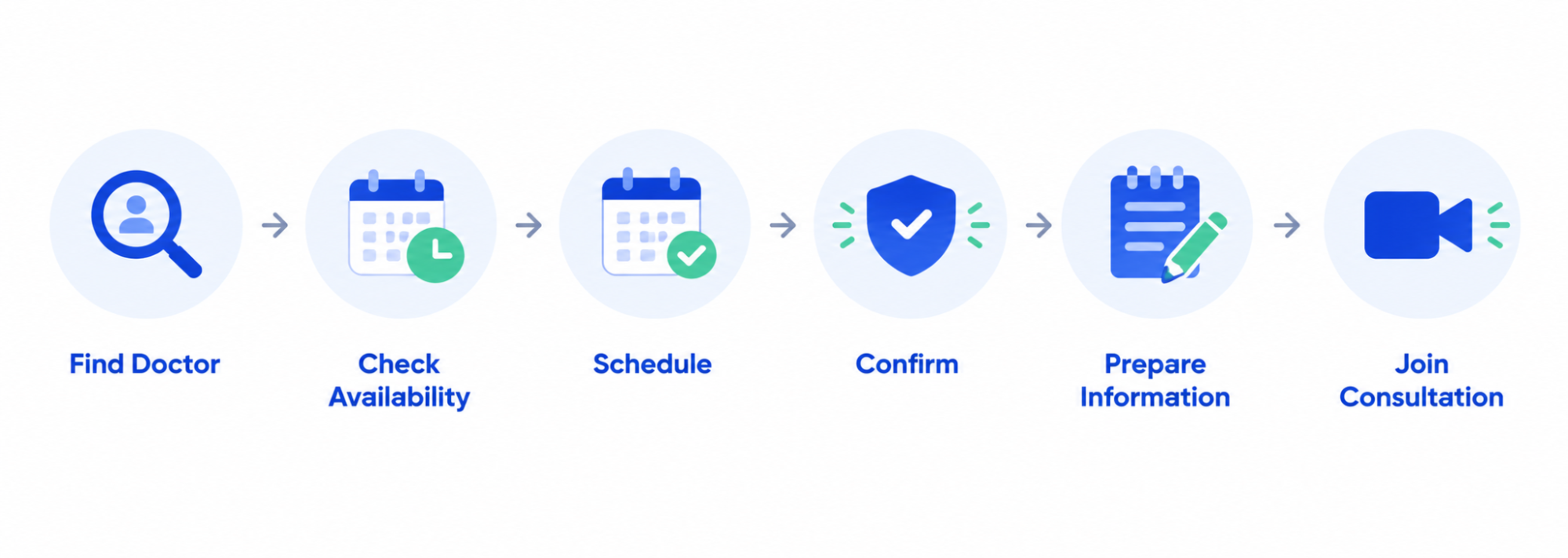
Before a teleconsultation, patients can discover and connect with doctors, select or schedule a consultation, and prepare for digital healthcare services make sure they have the information or documents needed for the discussion with the healthcare provider through the NironCare platform. Before a teleconsultation, the patient uses the NironCare platform to find and prepare for a digital consultation.
Step 1: Find Doctor
Patient opens the NironCare App -> searches for a doctor or healthcare service.
Step 2: View Availability
Patient views the doctor's information and available consultation times.
Step 3: Schedule Consultation
Patient selects the available time -> confirms the teleconsultation appointment.
Step 4: View Appointment
Patient opens the appointment information -> checks the consultation date, time, and doctor details.
Step 5: Prepare for Consultation
Patient prepares relevant health information, questions, or documents that may be needed during the consultation.
Step 6: Join at Scheduled Time
When the appointment time arrives -> patient opens the appointment -> joins the teleconsultation.
Teleconsultation Overview - Consultation

NironCare supports video teleconsultation and in-app communication between patients and doctors, allowing healthcare consultations to take place digitally. The patient talks with a doctor remotely to discuss their health needs, receive advice, and follow the next steps recommended by the doctor. NironCare supports digital communication between patients and doctors through video teleconsultation and in-app communication.
Step 1: Join Consultation
Patient joins the scheduled teleconsultation -> doctor joins the consultation from the Doctor Portal.
Step 2: Verify Patient / Appointment
Doctor opens the appointment details -> confirms the patient and consultation information.
Step 3: Conduct Consultation
Doctor and patient communicate remotely -> patient explains their health concerns and needs.
Step 4: Review Patient Information
Doctor reviews relevant patient information and healthcare records available through the system.
Step 5: Provide Clinical Advice
Doctor assesses the information discussed -> provides appropriate advice and care recommendations.
Step 6: Create Prescription / Request Services
Where required, the doctor may create a prescription or recommend laboratory, diagnostic, follow-up, or other healthcare services.
Step 7: Complete Consultation
Doctor completes the teleconsultation -> relevant consultation information is recorded where supported.
Step 8: Continue Next Steps
Patient follows the recommended next step, such as obtaining medication, completing a diagnostic service, or attending a follow-up appointment.